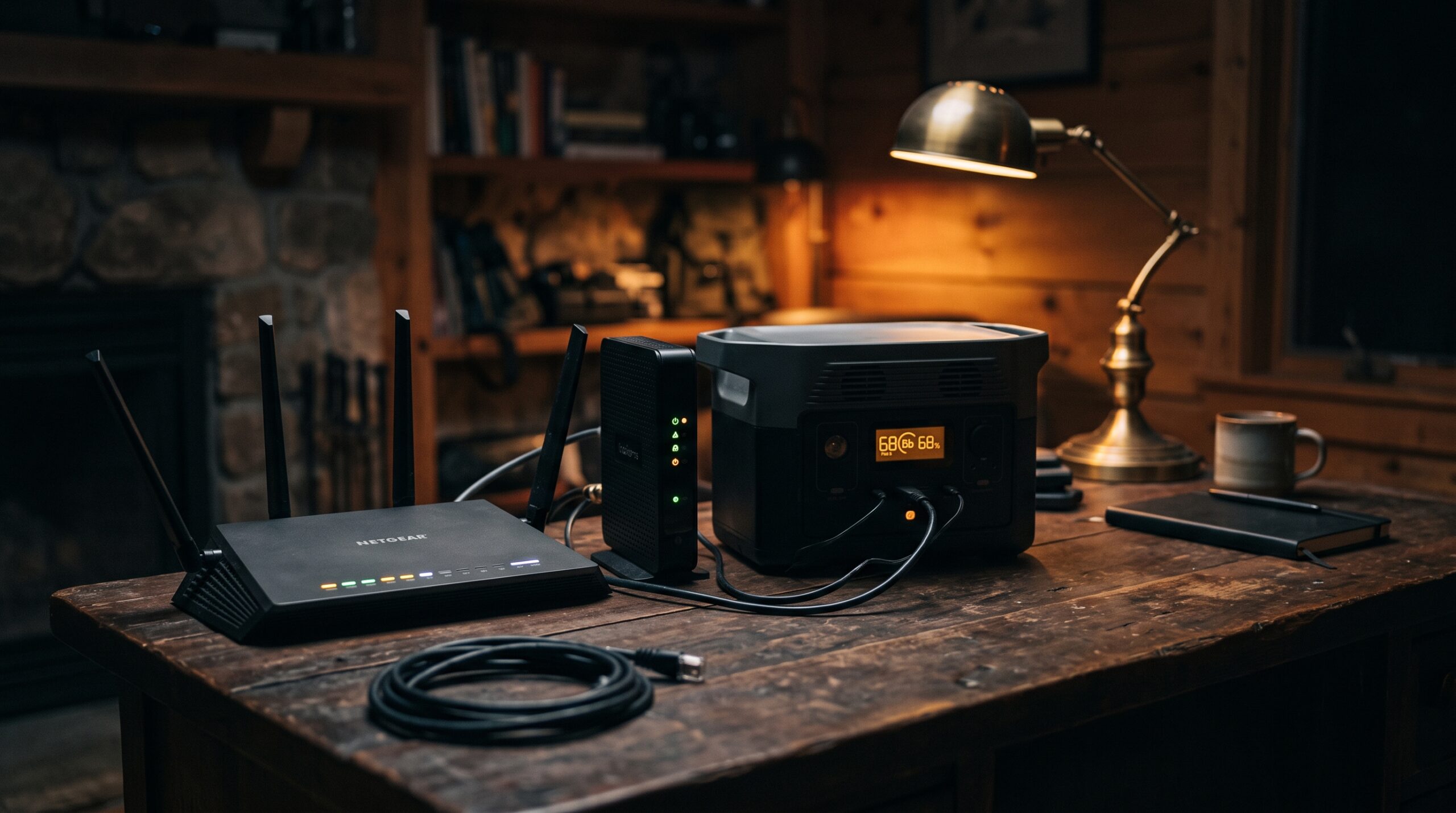
Your home WiFi stops the moment the power goes out unless your modem and router are on backup power, because the equipment inside your house needs electricity even when your provider’s network is still up and carrying signal.
The good news is that the gear that makes your WiFi work draws very little power. A modem and router together pull about as much as a couple of LED bulbs, so a small UPS or portable power station can keep you online for hours. Here is how it works and what it takes to stay connected.
Why your WiFi dies the moment the power goes out
WiFi is just a radio signal your router broadcasts inside your home. The router and the modem that feeds it both plug into a wall outlet, so when that outlet goes dead, the radio goes silent. The internet line coming into your house may still be live, but with no power to your equipment there is nothing to turn that line into a wireless signal your phone or laptop can see.
Your internet provider usually keeps its own network running during shorter outages. The cabling, neighborhood nodes, and central facilities often have battery backup or generators, so the problem is almost always at your end of the connection, not theirs. Restore power to your modem and router and your WiFi typically comes right back, often within a minute or two as the modem re-syncs.
How much power a modem and router actually use
This is the part that surprises people. A typical WiFi router uses roughly 5 to 20 watts, with about 10 watts being a fair average for a modern unit. A standalone cable, DSL, or fiber modem runs in a similar range, around 5 to 15 watts. Put the two together and you are looking at roughly 10 to 30 watts for a complete modem-and-router setup. An all-in-one gateway (modem and router in one box) usually lands under about 20 watts on its own.
That is a tiny load. It means you do not need a generator or a huge battery to stay online. A compact power station or even a router-sized UPS has more than enough capacity, which makes home internet one of the easiest things to keep running during an outage.
Keeping your modem and router on: UPS or a small power station
You have two practical options. A small uninterruptible power supply (UPS) sits between the wall and your gear and switches to battery the instant the power drops, so your connection never blinks. A purpose-built mini-UPS for a router will often give you a few hours of runtime, and a larger traditional UPS can stretch that to roughly 4 to 8 hours. Be aware that a basic computer UPS is designed only to bridge a few minutes so you can save your work, so check the runtime rating before you rely on one.
A portable power station is the more flexible choice for a longer outage. Here is the math: usable capacity in watt-hours, divided by your equipment’s wattage, gives you the runtime. A small ~250 Wh power station has about 210 watt-hours of usable energy after inverter losses. Running a 15 to 30 watt modem-and-router pair, that works out to roughly 7 to 14 hours on a single charge, and you can recharge the station from solar or your car between sessions. Step up to a 500 Wh or 1,000 Wh unit and you can keep WiFi alive for a full day or more.
| Device | Typical watts | Hours on a small (~250 Wh) battery |
|---|---|---|
| Cable / DSL / fiber modem | 5–15 W | ~14–40 hrs |
| WiFi router | 5–20 W | ~10–40 hrs |
| Fiber ONT | 5–12 W | ~17–40 hrs |
| Mesh WiFi node (each) | 10–25 W | ~8–20 hrs |
Fiber: your ONT needs its own battery backup
Fiber is a little different. The line ends at a small box called an optical network terminal, or ONT, which converts the light signal into a normal internet connection. The ONT needs power too, and on most fiber setups it does not have a battery of its own unless your provider installed one.
Many providers include a battery backup unit with fiber phone service. Those batteries are typically rated for up to about 8 hours of standby power, with extended versions reaching roughly 24 hours, but they often keep only the phone line and the ONT alive, not your router. So even with the provider’s battery, you may still need your own UPS or power station for the router that broadcasts your WiFi. If you have fiber, plan to power both the ONT and the router to actually get online.
Cable and DSL behave differently
Cable internet relies on neighborhood nodes that amplify the signal on its way to your house. Those nodes usually have battery backup, commonly sized for somewhere between a couple of hours and a full day, but in a long or widespread outage they eventually go dark and your connection drops no matter what you do at home. Keep your modem and router powered and cable internet often holds up for the first several hours of an outage.
DSL has the best odds of staying up because it rides on the old telephone network, and phone companies have long maintained large battery banks at their central offices. As long as the line itself stays powered upstream, a DSL modem and router on backup power at home can often keep working. The catch is the same for every technology: the moment your own equipment loses power, your WiFi is gone, even if the line is fine.
Falling back to a cellular hotspot
If your home internet does go down, your phone is the backup. Cell towers generally have their own battery and generator backup, so mobile data often keeps working through an outage. Turning on the Personal Hotspot on an iPhone or the Hotspot feature on an Android phone lets your laptop and other devices share that cellular connection. On iOS, open Settings, tap Personal Hotspot, and switch on Allow Others to Join. On Android, go to Settings, then Network & internet, then Hotspot & tethering.
Two things to keep in mind. Not every plan or phone supports hotspot use, so test it before you need it. And in a major storm, nearby towers can get congested or eventually lose backup power themselves, so treat cellular as a fallback rather than a guarantee.
Conserving your phone’s battery and data
Running a hotspot drains a phone battery fast, so pair it with a power bank or charge it from the same power station that runs your router. Switch on Low Power Mode or Battery Saver, dim the screen, and close apps that sync in the background.
Watch your data too, since a hotspot can burn through a monthly allowance quickly. Skip video streaming and large downloads, stick to messaging, email, and checking outage maps, and you can keep a household connected on cellular for a good while. Charging a few power banks before a storm arrives gives you a simple, silent buffer for phones and small devices.
Want to see exactly how long your own setup will last? Plug your modem and router wattage into our Appliance Runtime calculator to estimate hours from any battery, or use the Power-Station Sizing calculator to find the right capacity for keeping WiFi and a few other essentials running through an outage.
Frequently asked questions
Will my WiFi work during a power outage?
No, not unless your modem and router are on backup power. WiFi is a signal your router broadcasts, and the router and modem both need electricity. Your provider’s line may still be live, but with no power to your equipment there is no WiFi until power returns or you run the gear from a UPS or power station.
How long can a power station keep my modem and router running?
A modem and router together use roughly 10 to 30 watts, so a small ~250 Wh power station can run them for about 7 to 14 hours. A 500 Wh or larger unit can keep WiFi going for a full day or more, especially if you recharge it from solar or your car.
Does fiber internet work in a power outage?
Only if both the ONT and your router have power. Fiber providers often supply a battery backup rated for up to about 8 hours, but it usually powers just the ONT and phone line, not your router. To get WiFi on fiber during an outage, plan to power the router separately with your own UPS or power station.
Can I use my phone as a hotspot when the power is out?
Usually yes. Cell towers typically have backup power, so mobile data often keeps working. Turn on Personal Hotspot on an iPhone or Hotspot on an Android phone to share that connection with your other devices. Hotspot use drains the battery quickly, so keep a power bank handy.
Is a UPS or a portable power station better for a router?
A UPS is best for seamless switchover, since it keeps your connection from blinking the instant power drops. A portable power station gives you far longer runtime and can power other devices too, and many people use both: a small UPS for instant backup and a power station for the long haul.
Sources
- EnergySage — How many watts does a WiFi router use?
- HighSpeedInternet.com — How to use the internet while the power is out
- CenturyLink — Battery backup units for fiber service
- AT&T — Learn about battery backup
- Google Fiber — Phone service outages and battery backup options
- Allconnect — How to stay online during a power outage
- EcoFlow — Internet during a power outage: ways to get it