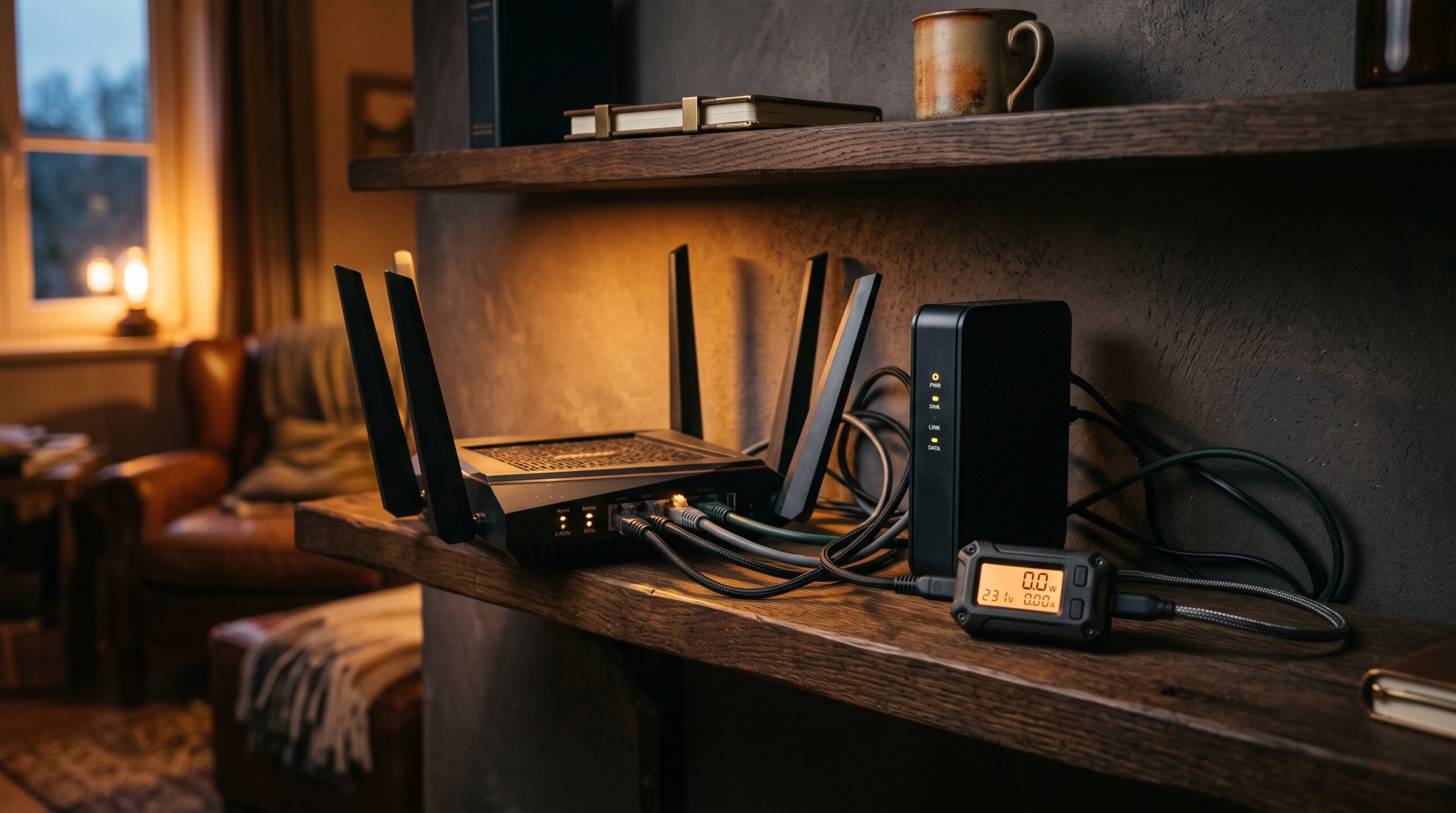
Your home internet gear barely sips power. A cable or fiber modem pulls roughly 5 to 15 watts, a Wi-Fi router runs about 5 to 20 watts, and an all-in-one gateway that does both lands around 10 to 25 watts. Because the load is so tiny, even a modest power station or a cheap UPS can keep your modem and router running for many hours, and a larger battery can hold them up for days.
How many watts does a router and modem use?
Separate modem and router boxes each draw a small, steady load. Real-world measurements and manufacturer specs land in these ranges:
- Cable or fiber modem: about 5 to 15 watts. DOCSIS 3.1 cable modems typically pull 6 to 12 watts. For example, the ARRIS SB8200 measures around 5.9 watts and the Motorola MB8600 around 6 watts in normal use (both spike to roughly 17 watts for a few seconds at boot).
- Wi-Fi router: about 5 to 20 watts. Entry-level units use 5 to 10 watts, most modern routers sit in the 10 to 15 watt range, and high-end Wi-Fi 6 or Wi-Fi 7 and gaming routers can reach 15 to 20 watts because of stronger processors and extra antennas.
- Combined (modem plus router): roughly 10 to 30 watts at the wall, with most two-box setups landing near 15 to 25 watts.
There is no startup surge to worry about either. Unlike a fridge or pump, networking gear has no motor, so it draws close to the same wattage the moment you plug it in as it does an hour later. That makes the math for backup power simple. If you want to confirm the exact number for your hardware, check the label on the power brick (it lists volts and amps) or use an inexpensive plug-in watt meter.
Combo gateways and mesh systems draw a little more
Two setups run a bit higher than a single modem and router:
- ISP combo gateway: the single box your provider rents that combines a modem and router usually pulls about 10 to 25 watts, since it is doing both jobs in one unit.
- Mesh Wi-Fi systems: each node typically uses 8 to 12 watts, with high-end nodes reaching 15 to 20 watts. A two- or three-node mesh therefore adds up. A three-node system can pull around 30 to 42 watts total once you include the modem.
Even at the high end, a full mesh setup plus a modem is still a small load compared to almost anything else in your home. During an outage you can often shrink that number by powering only the modem and one router or node, which is all you need to get a laptop or phone online.
Why such a small load runs for so long
Battery capacity is measured in watt-hours (Wh), which is simply watts multiplied by hours. A 100 Wh battery can, in theory, run a 10-watt device for 10 hours. Because your modem and router only draw a handful of watts, the runtime stretches out fast. To get a realistic estimate, take the battery’s watt-hours, multiply by about 0.85 to account for conversion losses, then divide by your combined wattage. For a deeper explainer, see what a watt-hour is.
Example: a 500 Wh power station running a 15-watt modem-and-router pair gives roughly 500 × 0.85 ÷ 15 ≈ 28 hours. That is more than a full day of internet from a fairly small battery.
How long a power station keeps your router and modem online
The table below assumes a combined modem-plus-router load of about 15 watts and includes typical conversion losses. Lighter loads (a single modem, around 8 watts) last longer; heavier ones (a combo gateway or mesh, 25 to 40 watts) run shorter. These are estimates, so treat them as a guide rather than a guarantee.
| Battery / power station size | Approx. runtime for modem + router (~15W) |
|---|---|
| 100 Wh (large power bank) | ~5 to 6 hours |
| 250 Wh | ~13 to 14 hours |
| 500 Wh | ~26 to 28 hours (about a day) |
| 1,000 Wh | ~2 to 2.5 days |
| 1,500 Wh | ~3.5 days |
| 2,000 Wh | ~4.5 to 5 days |
One honest caveat: at such a tiny load, a power station’s AC inverter can waste 5 to 15 watts just being switched on, which can noticeably cut the numbers above and may even trip a low-load auto-shutoff on some units. You avoid most of that overhead by powering the gear from the station’s DC outputs (USB-C or 12V) when your equipment supports it, or by using a UPS instead. Want to plug in your own numbers? Try the runtime calculator.
The catch: your ISP’s equipment needs power too
Keeping your own modem and router powered only helps if the equipment upstream from your house is also alive. The signal travels through your provider’s hardware before it reaches the wider internet, and that gear has its own power needs:
- Cable internet: the neighborhood node and amplifiers that carry your signal need power. Many cable providers install backup batteries at these nodes that last somewhere between 2 and 24 hours, so service often continues for a while after the grid goes down, then drops if the outage drags on.
- Fiber internet: fiber lines in the field do not need electricity to carry light, and the central offices are typically backed up by large generators. That means fiber service frequently stays up through an outage, as long as your home ONT and router have power.
- DSL: often keeps working longer because the phone network has long-standing battery backup, though this varies by area.
In short, backing up your home gear is necessary but not always sufficient. If your provider’s local equipment loses power, your connection drops no matter how charged your battery is. A cellular hotspot on your phone is a useful fallback for exactly this reason. For more on what stays up and what doesn’t, read whether Wi-Fi works during a power outage.
The best way to stay online during an outage
Because internet gear draws so little, you do not need a big, expensive battery to stay connected. A small uninterruptible power supply (UPS) or a compact power station is the practical choice:
- A small UPS (around 300 to 600 VA) plugs in between the wall and your gear, switches over instantly when the power cuts, and typically runs a modem and router for a few hours. It is the simplest option and doubles as surge protection.
- A power station (250 to 1,000 Wh) gives you far longer runtime, can recharge from a wall outlet or solar, and can power other small devices at the same time. Look for one with DC outputs to skip the inverter overhead.
- Power both the modem and the router (or the combo gateway). Powering only one of two separate boxes will not get you online.
The same small battery that keeps your internet alive can also keep your phone charged during a power outage, and a power station sized to run a router will easily handle a TV and connection too. See how long a power station runs a TV and internet for that combined math.
Frequently asked questions
How many watts does a Wi-Fi router use?
Most Wi-Fi routers use about 5 to 20 watts, with 10 watts a safe average for a modern unit. Entry-level routers pull 5 to 10 watts, while high-end Wi-Fi 6 or Wi-Fi 7 and gaming models can reach 15 to 20 watts.
How many watts does a modem use on its own?
A standalone cable or fiber modem typically uses about 5 to 15 watts, with many DOCSIS 3.1 models measuring 6 to 12 watts. Multi-gig modems with more channels can run a little higher. Expect a brief spike to around 17 watts for a few seconds when it first boots.
Will a small UPS keep my internet running during a power outage?
Yes. A small UPS rated around 300 to 600 VA will usually power a modem and router for a few hours and switches over with no interruption. It only keeps you online, though, if your provider’s upstream equipment still has power.
Does a router have a power surge when it turns on?
Not in any meaningful way. Routers and modems have no motors, so there is no large startup surge like a fridge or pump. A modem may briefly draw a bit more wattage during its boot sequence, but it settles within seconds, so you can size backup power off the running wattage.
How much does it cost to run a router and modem all year?
Running a 10-watt device nonstop uses roughly 87 kWh per year. At average US electricity rates, a single modem or router costs only around $11 to $15 a year, so leaving your internet gear on has a small impact on your bill.