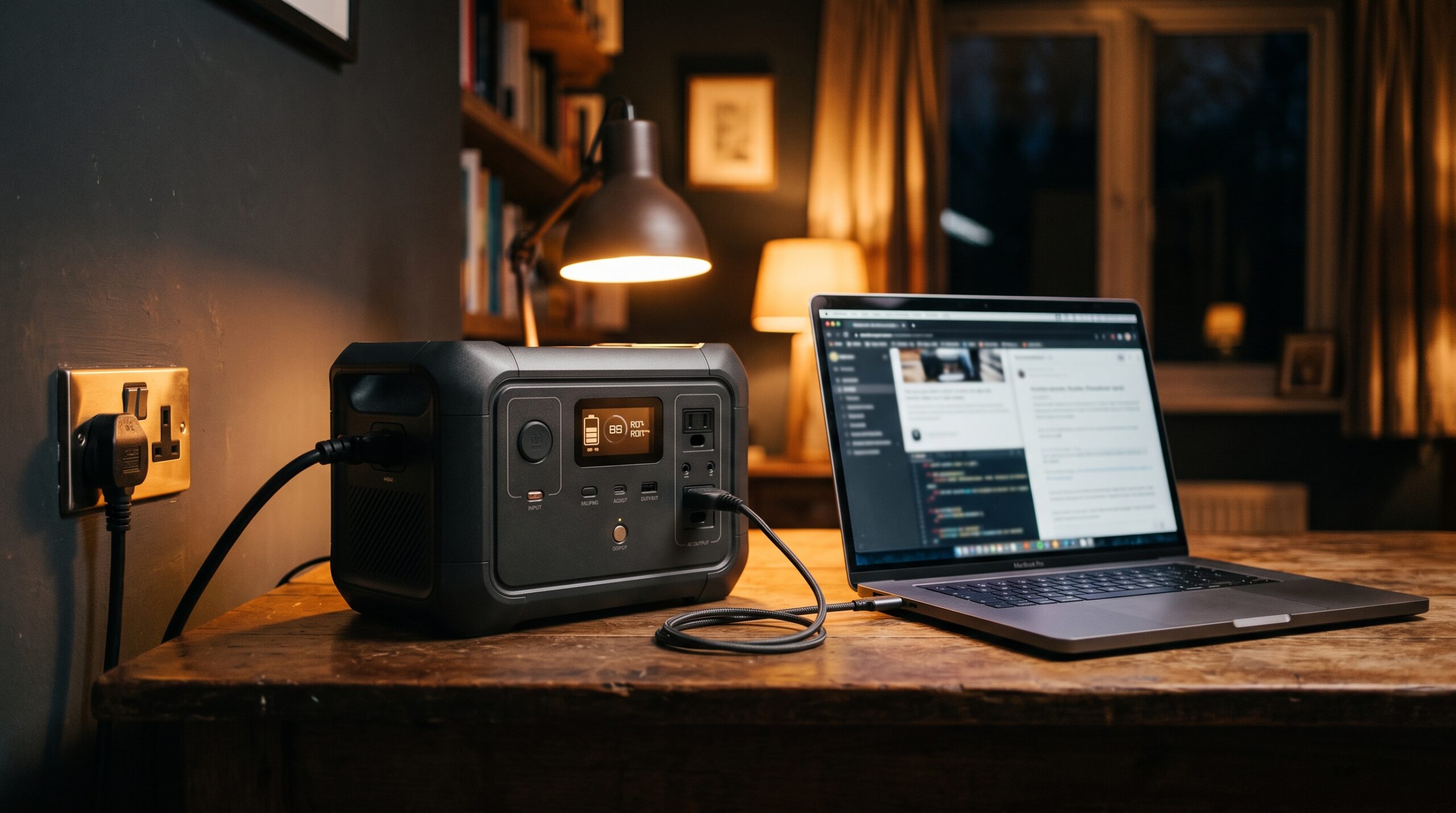
Yes. Almost every modern portable power station lets you run devices from its outlets while the unit itself charges from the wall or from solar panels. That feature is called passthrough charging, and it works fine for most everyday loads. The caveats are worth understanding, though: doing both at once adds heat, a heavy load can still drain the battery, and not every unit is a true backup for sensitive gear like a CPAP or a desktop PC.
What passthrough charging actually means
When you plug a power station into the wall and also plug something into its outlets, the unit routes incoming power two ways at once. Some of it tops up the internal battery, and some of it goes straight to whatever you have connected. The battery management system (BMS) handles the balancing act, watching voltage, current, and temperature so nothing overheats.
Here’s the part people miss. If your devices draw less than the unit is taking in, the battery keeps filling up while your gear runs. If your devices draw more than the input, the station makes up the difference from the battery, so it still net-discharges even though it’s plugged in. The wall input isn’t infinite. A 200W wall charger feeding a 600W load means the battery is losing 400W the whole time. For a deeper look at charging methods and input limits, see our guide on how to charge a power station.
When it’s fine to use a power station while charging
For light, occasional use, passthrough is a non-issue. Charging your phone while the station refills, running a few lights, keeping a router alive during a brownout, topping off a laptop. None of that meaningfully stresses the battery. The trouble starts with heavy, continuous loads stacked on top of a full-speed charge, day after day, because that’s when heat builds and cells age faster.
- Do: Keep the load below the input wattage shown on the display, so the battery actually gains charge instead of draining.
- Do: Give the unit airflow. Don’t bury it in a cabinet or a closed bag while it’s working hard in both directions.
- Do: Use it this way for short stretches or genuine emergencies, where the convenience clearly outweighs a little extra cycling.
- Do: Read your model’s manual for any port-specific notes; some USB or DC outputs behave differently while the unit charges.
- Avoid: Running a near-maximum load while fast-charging continuously, for hours, as a daily habit.
- Avoid: Doing it in a hot car, direct sun, or any space that traps heat.
- Avoid: Assuming passthrough makes the unit an unlimited supply. It doesn’t, and a big load still pulls the battery down.
- Avoid: Trusting it as a no-interruption backup for medical or sensitive gear until you’ve confirmed your model is a true UPS.
Does charging while using shorten battery life?
A little, over a long time, if you do it hard and often. Charging and discharging at the same moment generates more heat than doing either alone, and heat is the main thing that wears down lithium cells. Jackery, for example, supports passthrough on its units but specifically advises against prolonged use, because the extra cycling can chip away at long-term capacity. EcoFlow makes a similar point: occasional or seasonal passthrough causes negligible wear, while running it wide open 24/7 for years will speed up cell aging.
Chemistry matters here. Most current power stations use LiFePO4 (lithium iron phosphate) cells, which run cooler, tolerate heat better, and last far longer than the older lithium-ion (NMC) packs, often rated for 3,000 to 4,000 cycles or more versus a few hundred. If your unit is LiFePO4, it shrugs off occasional passthrough use much more comfortably. We compare the two chemistries in LiFePO4 vs lithium-ion power stations, and if you’re wondering how long a unit holds up overall, see how long power stations last.
The realistic takeaway: normal passthrough use won’t ruin your battery. You’d have to abuse it, hot environment, maxed-out load, fast charge, every single day, before the difference shows up as anything more than a slightly faster slide toward 80% capacity.
Can you rely on it as a UPS for a PC or CPAP?
This is where you need to slow down and check. Many power stations advertise a UPS or backup mode: they sit between the wall and your device, pass grid power through, and switch to battery the instant the grid drops. The catch is the switchover time, the brief gap before the battery takes over. A desktop PC without a save can reboot if that gap is too long. Sensitive medical equipment is even less forgiving.
| Unit (example) | Stated switchover | Vendor classifies it as |
|---|---|---|
| EcoFlow DELTA series | under ~30 ms | EPS (emergency power), not a true UPS |
| Anker SOLIX C1000 Gen 2 | ~10 ms | UPS-grade for critical gear |
| Older / budget units | varies or none | Often no true backup mode |
Note the distinction EcoFlow itself draws: a sub-30ms switch makes the DELTA an EPS (emergency power supply), not technically an uninterruptible power supply. That gap is short enough for most computers, routers, and home-office gear. It is not a guarantee for a CPAP, an oxygen concentrator, or other medical devices, where even a brief interruption can matter and where a true online (zero-gap) UPS is the safer design. If backup power for breathing equipment is the goal, read keeping a CPAP running during a power outage and confirm true-UPS behavior with your equipment supplier before you depend on it. For choosing a unit built around whole-home backup, see the best portable power station for home backup.
How to check your specific model’s rules
Specs and behavior vary by brand, model, and even firmware version, so the manual is the final word. A few things worth confirming before you lean on passthrough:
- Whether the unit officially supports passthrough or only allows it as a tolerated, not recommended, use.
- The maximum input wattage, so you know what load size keeps the battery net-charging.
- Whether it has a UPS or EPS mode, and the stated switchover time.
- Any per-port limits (some DC or USB outputs throttle or shut off while charging).
- Temperature warnings, since the BMS may slow charging or limit output if the unit runs hot.
Frequently asked questions
Can you use a power station while charging from solar?
Yes, the same rules apply. The unit feeds your devices while solar input refills the battery. Just remember solar input swings with sun, clouds, and panel angle, so if your load exceeds what the panels are producing at that moment, the battery still drains.
Will it charge slower if I’m using it at the same time?
Effectively, yes. Whatever power your devices pull is power not going into the battery, so the unit fills up more slowly. If your load is larger than the input, it won’t charge at all and will lose charge instead.
Is it bad to leave a power station plugged in all the time?
Leaving it plugged in for UPS standby is generally fine, especially with a LiFePO4 unit and a good BMS. The wear concern is specifically about heavy charge-and-discharge at the same time, around the clock. Light standby use is not the same thing.
Can I run a CPAP off a power station as it charges?
You can, but treat it carefully. Confirm your model is a true UPS with a switchover fast enough for your device, and have a tested backup plan. Don’t assume passthrough alone makes it safe for medical use without checking the manual and your equipment provider.
Why does my unit get warm when I do this?
That’s normal. Converting power in and out at once produces heat, and the internal fan and BMS manage it. Just make sure the unit has airflow and isn’t sitting in a hot, enclosed space, which is where heat becomes a real longevity problem.
Sources
- Jackery FAQ — Does the Jackery portable power station support pass-through charge?
- EcoFlow — Is Pass-Through Charging Safe? Complete Safety Guide
- EcoFlow — DELTA FAQ (EPS vs UPS and switchover time)
- Anker SOLIX Support — Charge and maintain your LFP power station for a longer lifespan
- EcoFlow — Switch speed and latency for sensitive electronics