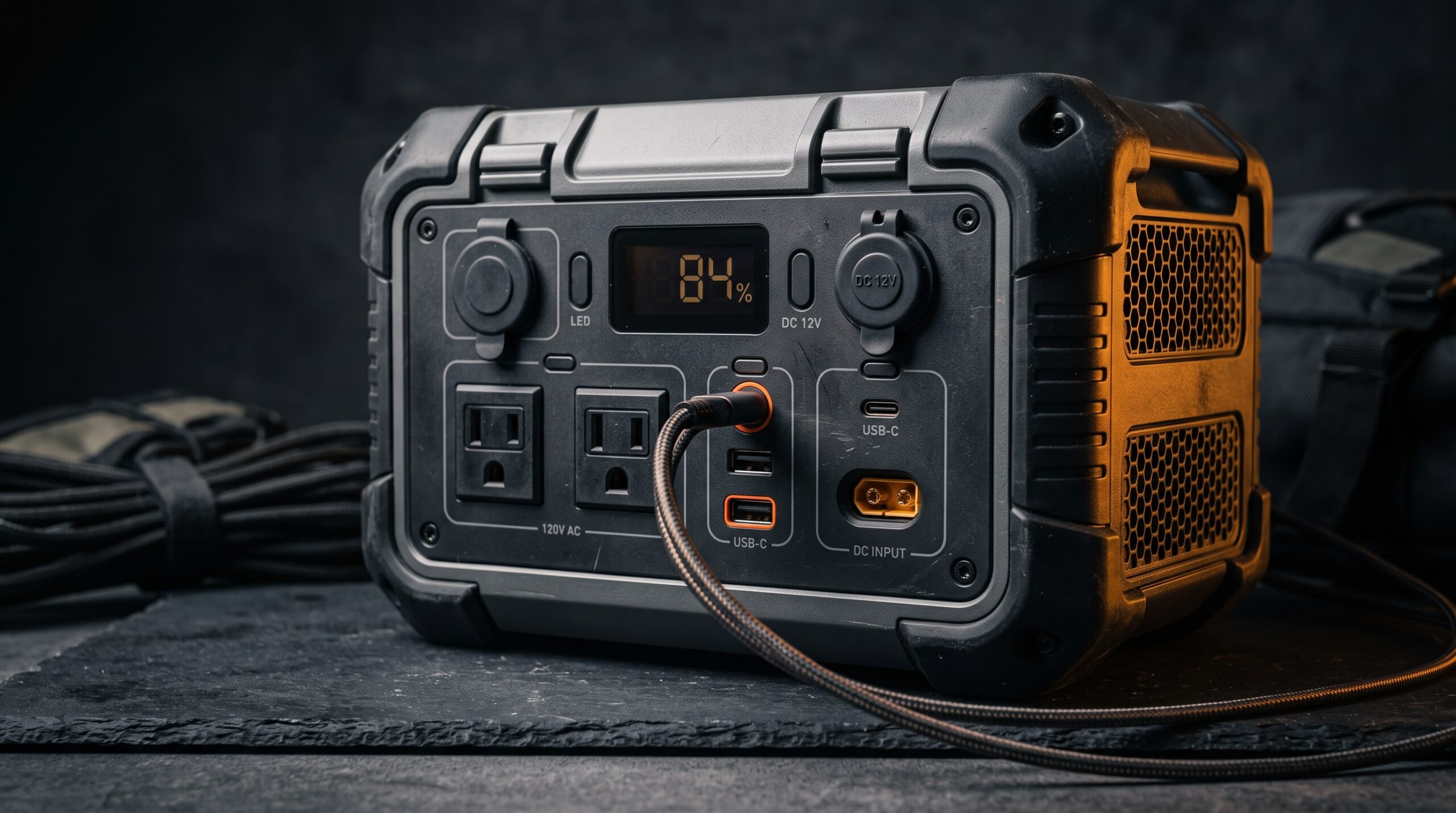
Spec sheets for portable power stations are dense, and every manufacturer formats them a little differently, which makes side-by-side shopping harder than it should be. Three numbers decide whether a unit actually fits your needs: capacity in watt-hours (how long it runs), continuous output in watts (what it runs at once), and surge watts (whether motors and compressors can start). Read those first, then work down the sheet to chemistry, ports, and recharge.
Once you know what each line means, two stations that look the same on price often stop looking the same at all. Here is how to decode each spec and what it tells you about real-world use.
Capacity in watt-hours
Watt-hours (Wh) measure the size of the battery, the total energy it can store. It is the number that sets runtime. To get a rough estimate, divide capacity by a device’s running watts: a 1,000 Wh station running a 60-watt device lasts somewhere near 16 to 17 hours in theory, though you should expect about 10 to 15 percent less in practice once you account for inverter losses. Most “1,000-class” stations cluster close together: the EcoFlow Delta 2 is rated 1,024 Wh, the Anker SOLIX C1000 is 1,056 Wh, and the Jackery Explorer 1000 v2 is 1,070 Wh. A bigger Wh number means longer runtime, not more power at once.
Continuous output
Continuous output, listed in watts (W), is the ceiling on what the inverter can deliver at any one moment. Add up the running watts of everything you plug in, and the total has to stay under this number. The 1,000-class units span a real range here: the Jackery Explorer 1000 v2 is rated 1,500 W continuous, while the EcoFlow Delta 2 and Anker SOLIX C1000 both deliver 1,800 W. That gap matters. A 1,500 W unit can run a microwave or a coffee maker, but not both at the same time. Keep capacity and output straight in your head: output is “how much at once,” capacity is “how long.”
Surge/peak output
Anything with a motor or compressor, like a refrigerator, a sump pump, or a power tool, draws a brief spike of extra power the instant it starts, often two to three times its running watts. Surge watts (sometimes labeled peak) is the higher number the inverter can supply for a split second to cover that spike. The Jackery Explorer 1000 v2 lists 3,000 W peak against 1,500 W continuous; the Anker SOLIX C1000 reaches 2,400 W through its SurgePad mode above an 1,800 W rating; the EcoFlow Delta 2 can climb to 2,200 W with X-Boost. If the surge figure is too low, a device can trip the station even when its running watts fit comfortably under the continuous rating. Our guide on running vs starting watts explains why this trips up so many first-time buyers.
Battery chemistry and cycle life
Two chemistries dominate the market: lithium iron phosphate (LiFePO4, also written LFP) and older lithium-ion (NMC). Cycle life tells you how many full charge-and-discharge cycles the battery can take before its capacity fades to a stated percentage, usually 80 or 70 percent. LiFePO4 units last far longer: the EcoFlow Delta 2 is rated for 3,000-plus cycles to 80 percent capacity, the Anker SOLIX C1000 for 3,000 cycles, and Jackery rates the Explorer 1000 v2 LiFePO4 pack at 4,000 cycles to 70 percent. For backup gear that sits for years and cycles slowly, chemistry and cycle life often matter more than a small difference in capacity. Our breakdown of LiFePO4 vs lithium-ion covers the trade-offs in detail.
Inverter type
The inverter converts the battery’s DC power into the AC power your outlets use, and the waveform it produces matters. A pure sine wave inverter makes clean power like the grid, which is what sensitive electronics need: CPAP machines, variable-speed motors, some newer TVs, and most medical devices. A modified sine wave inverter is cheaper but can cause buzzing, overheating, or outright malfunctions in that same gear. The Jackery, EcoFlow, and Anker units above all use pure sine wave inverters. If a spec sheet does not say “pure sine wave,” assume it is not, and read our guide on pure vs modified sine wave before you trust it with anything sensitive.
Ports and outputs
Port lists tell you what plugs in directly without adapters. Look for the count and rating of AC outlets, USB-A ports, USB-C ports (the wattage matters here, since a 100 W USB-C port can charge a laptop while a 30 W one cannot), and the 12 V car socket for coolers and tire pumps. The Jackery Explorer 1000 v2 and EcoFlow Delta 2 both include a 100 W USB-C output, and the Anker SOLIX C1000 carries 11 ports in total. One thing to watch: every AC outlet shares the same inverter, so a station with many outlets still cannot exceed its single continuous wattage rating. More ports means more devices plugged in, not more total power.
Solar input and recharge
Max solar input, in watts, caps how fast the station can refill from panels: a higher number means quicker top-ups off-grid. The Jackery Explorer 1000 v2 accepts up to 400 W of solar, the EcoFlow Delta 2 up to 500 W, and the Anker SOLIX C1000 up to 600 W. Wall recharge speed is the companion spec. All three of these units reach a full charge in roughly an hour from a standard outlet: the EcoFlow Delta 2 hits 80 percent in about 50 minutes and full in about 80, the Anker SOLIX C1000 fills in about 58 minutes, and Jackery advertises a one-hour emergency charge. Fast recharge is worth more than it looks during rolling outages, when you may only have short windows of grid power to top up.
Weight and portability
Weight, listed in pounds, decides whether one person can carry the unit comfortably. The 1,000-class LiFePO4 stations land in a tight band: the Jackery Explorer 1000 v2 is about 23.8 lbs, the EcoFlow Delta 2 about 27 lbs, and the Anker SOLIX C1000 about 28.7 lbs. Heavier usually signals more capacity or sturdier construction, but handle design and weight distribution matter just as much for actually moving it. If you want a grab-and-go unit for evacuations, lean lighter. If it will sit in one spot as home backup, a few extra pounds is a fair trade for more capacity or ports.
| Spec | What it tells you | Why it matters |
|---|---|---|
| Capacity (Wh) | Total energy stored in the battery | How long it runs your devices |
| Continuous output (W) | Maximum draw at any one moment | What you can run at the same time |
| Surge/peak (W) | Brief maximum for startup spikes | Whether motors and compressors start |
| Battery chemistry | LiFePO4 vs older lithium-ion (NMC) | Lifespan, safety, and weight |
| Cycle life | Charges before capacity fades | Years of dependable backup |
| Inverter type | Pure vs modified sine wave | Safety for sensitive electronics |
| Ports and outputs | Outlet and USB types and ratings | Whether your devices plug in directly |
| Max solar input (W) | Fastest panel charging rate | Off-grid recharge speed |
| AC recharge time | Wall-charge speed | Topping up between outages |
| Weight (lbs) | How portable the unit is | Grab-and-go vs stationary use |
Once you can read the sheet, put the numbers to work. Use the Power-Station Sizing calculator to match a station’s capacity and output to the devices you need to run, then use the Appliance Runtime calculator to estimate how many hours a given capacity will actually last on your gear.
Frequently asked questions
What is the most important power station spec?
No single number wins; you need three together. Capacity in watt-hours sets how long the station runs, continuous output in watts sets what you can run at once, and surge watts decides whether motors and compressors can start. Read those three before you look at anything else, including price.
What does Wh mean on a power station?
Wh stands for watt-hours, the total energy the battery stores. Divide it by a device’s running watts for a rough runtime estimate. A 1,000 Wh unit running a 50-watt device lasts around 20 hours in theory, though plan for about 10 to 15 percent less once inverter losses are counted.
Is a higher continuous wattage always better?
Not always. A higher continuous output lets you run more devices at once, but it usually adds weight and cost. Match the output to the largest combined load you actually expect to run at the same time, rather than paying for headroom you will never use.
Does the number of ports increase total output?
No. Every AC outlet draws from the same inverter, so they share one continuous wattage rating. A station with eleven ports still cannot deliver more than its rated output, for example 1,800 W combined. More ports lets you plug in more devices, not pull more total power.
How do I compare two power stations fairly?
Line them up spec by spec: capacity (Wh), continuous output (W), surge (W), battery chemistry and cycle life, inverter type, and recharge speed. Two units at the same price can differ sharply on those lines. Compare the numbers that affect real use first, and only weigh price once they match up.
Sources
- Jackery Explorer 1000 v2 product page (Jackery): https://www.jackery.com/products/jackery-explorer-1000-v2
- Jackery Explorer 1000 v2 specifications (Amazon listing): https://www.amazon.com/Jackery-Explorer-Portable-Generator-Emergency/dp/B0D7PPG25F
- EcoFlow DELTA 2 product page (EcoFlow): https://www.ecoflow.com/us/delta-2-portable-power-station
- EcoFlow DELTA 2 specifications (Amazon listing): https://www.amazon.com/EF-ECOFLOW-Portable-Charging-Generator/dp/B0B9XB57XM
- Anker SOLIX C1000 product page (Anker): https://www.ankersolix.com/products/c1000
- Anker SOLIX C1000 specifications (Amazon listing): https://www.amazon.com/Anker-Portable-Generator-UltraFast-Optional/dp/B0C5C89QKZ