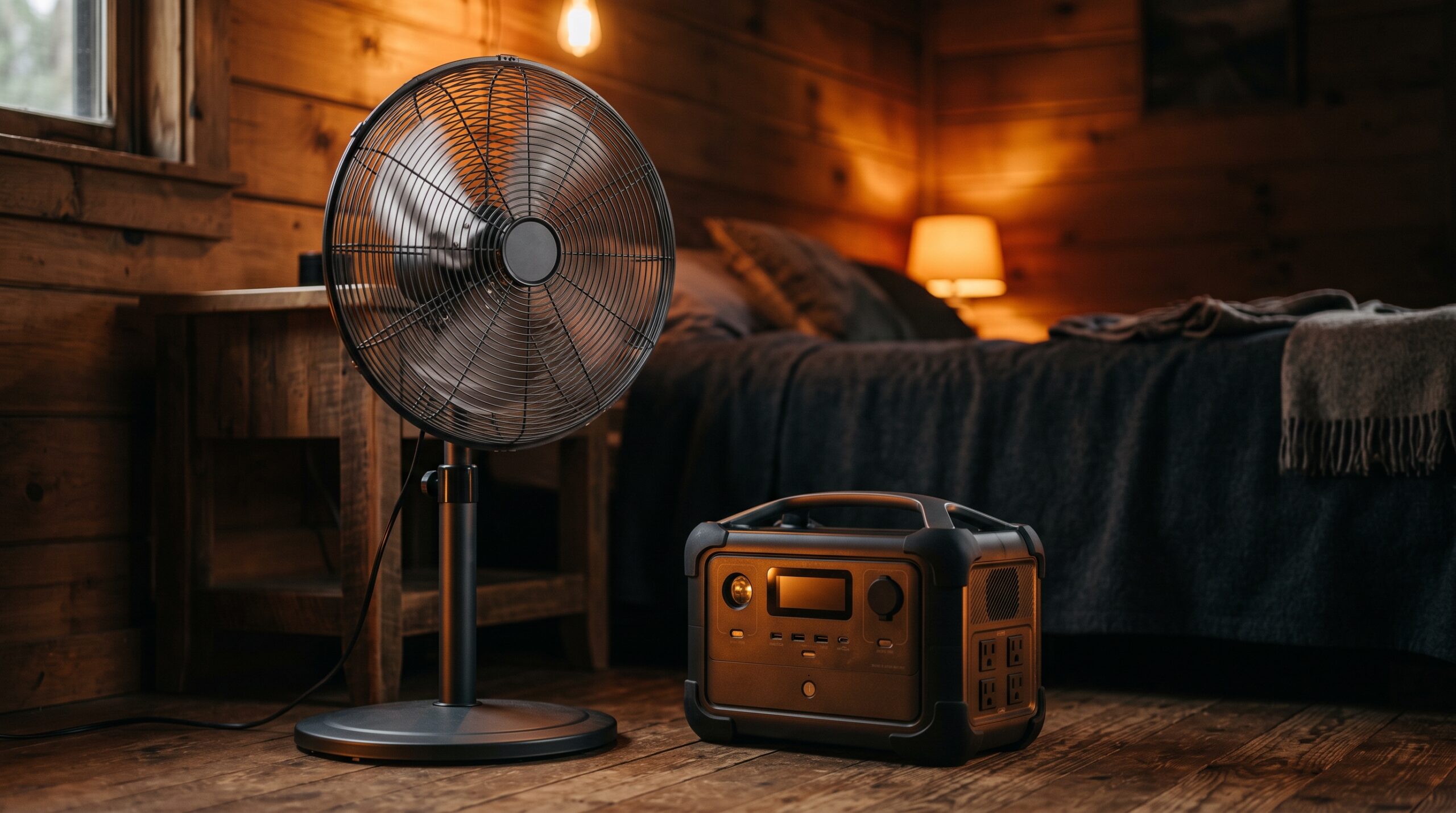
A fan is one of the easiest things you can run on a portable power station, so the short answer is a long time. A common AC box or pedestal fan pulls roughly 40 to 100 watts, a tower fan around 30 to 60 watts, and a DC or brushless fan as little as 5 to 35 watts, which means even a mid-size 500Wh station can keep air moving for the better part of a day. If your goal is to get through hot nights, a low-wattage DC fan is the smart pick: at 10 to 20 watts it can run for several overnight stretches on a single charge.
Why fans are easy on a power station
Cooling appliances like an air conditioner are heavy hitters, but a plain fan is not. A fan only spins a set of blades, so it draws a small, steady amount of power and holds that draw the whole time it runs. There is no compressor cycling on and off and no heating element, which is what makes fans so cheap to keep going on battery power.
That low draw is the whole story. Because runtime depends on how many watts the fan pulls, a 30-watt fan lasts roughly three times longer than a 90-watt one on the same battery. Picking the right fan matters more than picking a bigger power station.
How to estimate fan runtime
The math is simple. Take the usable capacity of your power station in watt-hours and divide it by the fan’s wattage:
Runtime (hours) = usable watt-hours ÷ fan watts
One catch: you do not get every advertised watt-hour out of the battery. Running an AC fan through the inverter loses some energy as heat, so plan on roughly 85 percent of the rated capacity being usable. A 1000Wh station gives you about 850 usable watt-hours in practice. If watt-hours are new to you, our explainer on what a watt-hour is walks through it, and you can skip the pencil work entirely with the runtime calculator.
Fan wattage by type
Wattage varies by fan style and speed setting. Higher speeds pull more, and the motor type makes a big difference. These are typical ranges to plan around:
- Box fan (AC): about 40 to 100 watts. A 20-inch box fan often lands near 55 to 90 watts depending on speed.
- Pedestal / standing fan (AC): about 40 to 100 watts, with many models sitting in the 40 to 60 watt range on lower speeds.
- Tower fan (AC): about 30 to 60 watts. Some draw as little as 6 watts on the lowest setting and around 55 watts wide open.
- Ceiling fan (AC motor): about 50 to 100 watts, though most portable setups won’t use one of these.
- DC / brushless fan: about 5 to 35 watts. A DC motor can move the same air as a 75-watt AC fan on roughly 25 watts, which is the single biggest efficiency win for outage use.
Fan runtime table by power station size
The table below estimates runtime using about 85 percent usable capacity. Numbers are rounded and assume a steady mid-range speed. Your actual hours will shift up or down with the speed setting and the exact model.
| Fan type | Typical watts | 300Wh | 500Wh | 1000Wh | 2000Wh |
|---|---|---|---|---|---|
| DC / USB fan (low) | 10 W | ~25 hrs | ~42 hrs | ~85 hrs | ~170 hrs |
| DC / brushless fan | 20 W | ~13 hrs | ~21 hrs | ~42 hrs | ~85 hrs |
| Tower fan (AC) | 45 W | ~6 hrs | ~9 hrs | ~19 hrs | ~38 hrs |
| Box / pedestal fan (AC) | 75 W | ~3.5 hrs | ~6 hrs | ~11 hrs | ~23 hrs |
DC and rechargeable fans win for overnight outages
Look at the top two rows again. A low-draw DC fan on a 1000Wh station can run for three to seven full nights of eight-hour sleep, and a 2000Wh station pushes that into the range of a week or more of overnight use. Many battery-powered camping and outage fans run on a brushless DC motor and accept a USB or car-port input, so they sidestep the inverter loss entirely and stretch even further than the table suggests.
That is why a DC fan is worth keeping with your outage kit. It costs you the least power for the most hours, and it is exactly the load a power station handles best. If you only own a standard AC box fan, you can still run it for many hours, just plan on charging the station sooner.
Fans don’t have a real surge
Unlike a refrigerator or a pump, a fan has a small motor with no meaningful startup surge. There may be a brief blip as the blades begin to spin, but it is nothing close to the two- or three-times spike that compressor appliances demand. That means you do not need to oversize your power station for a fan. As long as the station’s continuous (running) watt rating comfortably clears the fan’s draw, which any unit will, you are fine.
Staying cool when the power is out
A fan does not lower the air temperature, but moving air helps your body shed heat and feels noticeably cooler, which is enough to take the edge off a warm night. It uses a tiny fraction of the power that an air conditioner draws, so for most outages a fan is the practical cooling tool. Pair it with the steps in our guide on how to stay cool during a power outage, and if you are facing extreme heat, the heat wave survival guide covers what else to plan for.
Sizes that run a fan all night, live prices


As an Amazon Associate we earn from qualifying purchases. Prices are pulled automatically from Amazon and may have changed.
Frequently asked questions
How long will a 500Wh power station run a fan?
Roughly 6 hours for a typical 75-watt box fan, about 9 hours for a 45-watt tower fan, and over 20 hours for a low-draw DC fan. The exact runtime depends on the fan’s wattage and speed setting.
Can a power station run a fan all night?
Yes, easily. An eight-hour night is well within reach for almost any station-and-fan pairing. A DC fan on a 500Wh or larger unit can cover multiple nights, while a 75-watt AC box fan will get through one night on a 500Wh to 1000Wh station.
Do fans need a large power station?
No. Fans are a low-draw load with no startup surge, so even a small 300Wh unit runs one for hours. A bigger battery just buys you more hours, not the ability to run the fan at all.
Why does a DC fan run so much longer?
A DC or brushless motor moves the same amount of air using far less power than a standard AC motor, often around a third of the watts. Lower watts mean the battery lasts proportionally longer, which is why a DC fan can run for nights where an AC fan runs for hours.
Does fan speed change the runtime?
Yes. Lower speeds pull fewer watts, sometimes a quarter of the high-speed draw, so dropping to a low or medium setting can stretch your runtime considerably. If you are trying to last through an outage, run the fan on the lowest comfortable speed.